Our series on operationalizing AI document workflows continues. This time: connecting AI workflows to the systems where your documents already live.
Download the file. Re-upload it. Export the report. Download it again. Save it back to the right folder. Every regulatory and clinical team knows this routine — and it has nothing to do with the actual work of producing documents.
When teams start using AI for document production, this friction gets worse, not better. Every workflow starts with source documents, and if those documents live in Google Drive, OneDrive, SharePoint, or Veeva — which they do — the first step shouldn't be a manual file transfer. But that's exactly what most tools require.
Multiply it across every project, every document, every team member, and it adds up to hours of manual work. Worse, it introduces risk: version confusion, misplaced files, the wrong version of a source document feeding into a report no one catches until review.
For AI document workflows to work in practice, they need to plug directly into the places where teams already store and manage their documents — not ask teams to change how they work.
Built to Connect
Everest is built API-first, which means it can integrate with whatever document systems your team already uses — whether that's Google Drive, Microsoft 365, Veeva, or your own internal QMS. Source documents can be imported straight into Everest using native file pickers, and generated reports can be exported directly back to the same systems in PDF, Docx, or Markdown format. No download-and-reupload step, no manual file transfers.
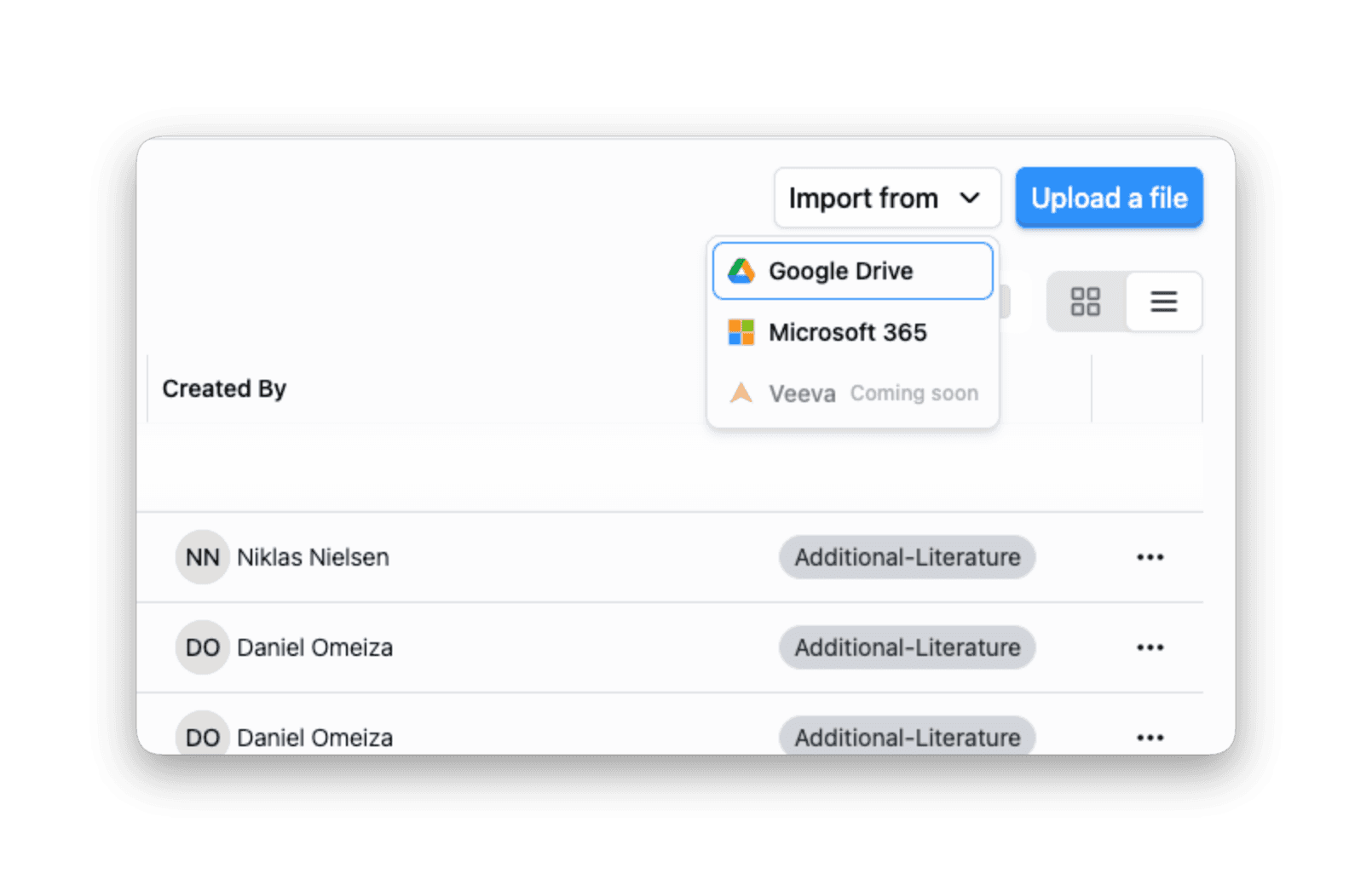
Import source documents directly from Google Drive, Microsoft 365, and more — no download-and-reupload step.
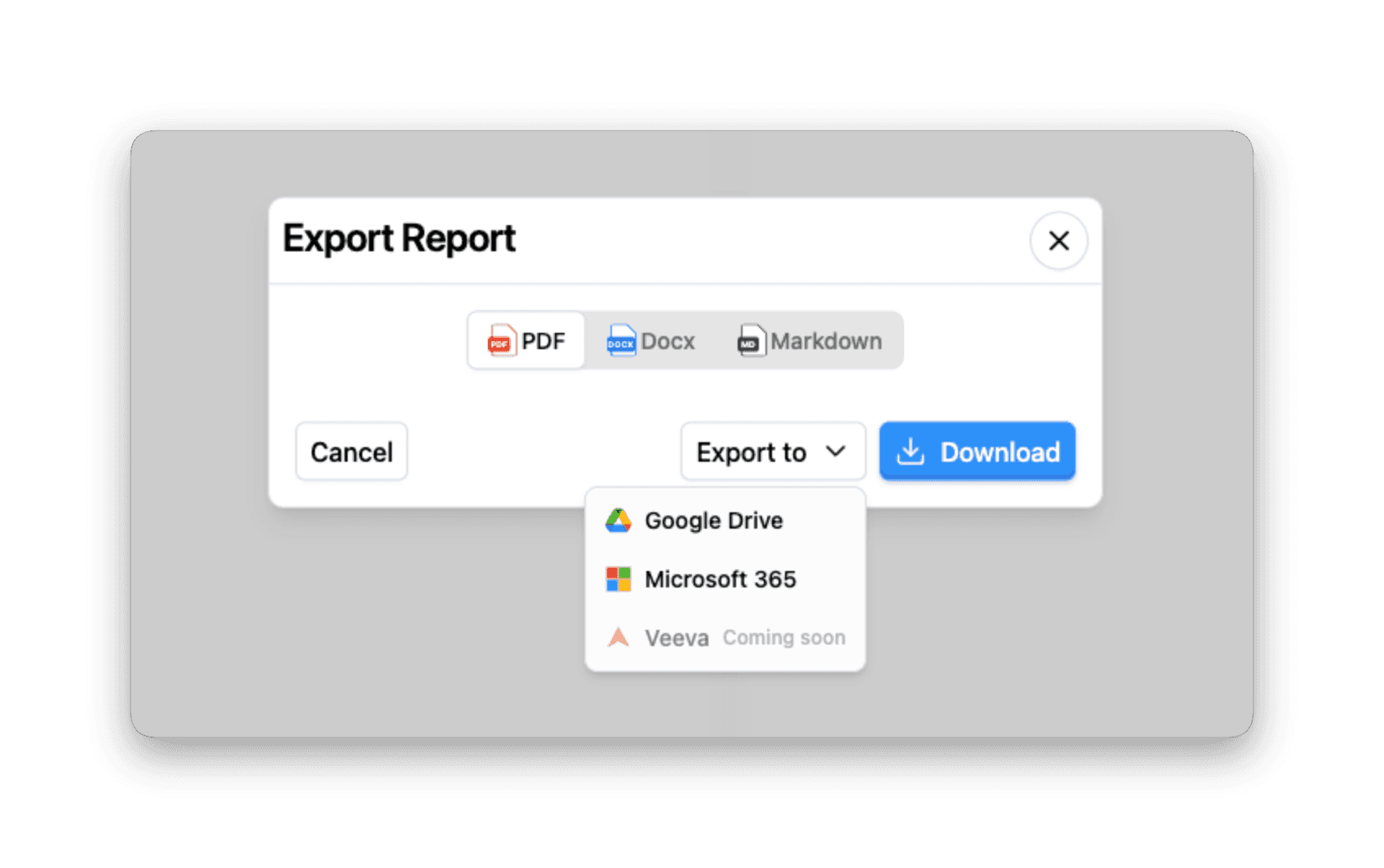
Export generated reports back to the systems your team already uses, in the format you need.
Documents should flow in and out of AI workflows the same way they flow between any other tools your team uses — without friction, without manual steps, and without leaving the systems you already trust.
For Teams That Want to Go Further: A Public API
Everything you can do in the Everest UI — uploading source files, generating reports, exporting in PDF, Markdown, or Docx — is also available over a public GraphQL API. The same primitives the product is built on are the ones your team can automate against.
We ship two officially supported SDKs:
TypeScript —
@log10/everest-sdk(Node 18+). ESM and CommonJS builds with full TypeScript declarations.Python —
log10-everest-sdk(Python 3.10+). Async client built onhttpx, fully type-annotated.
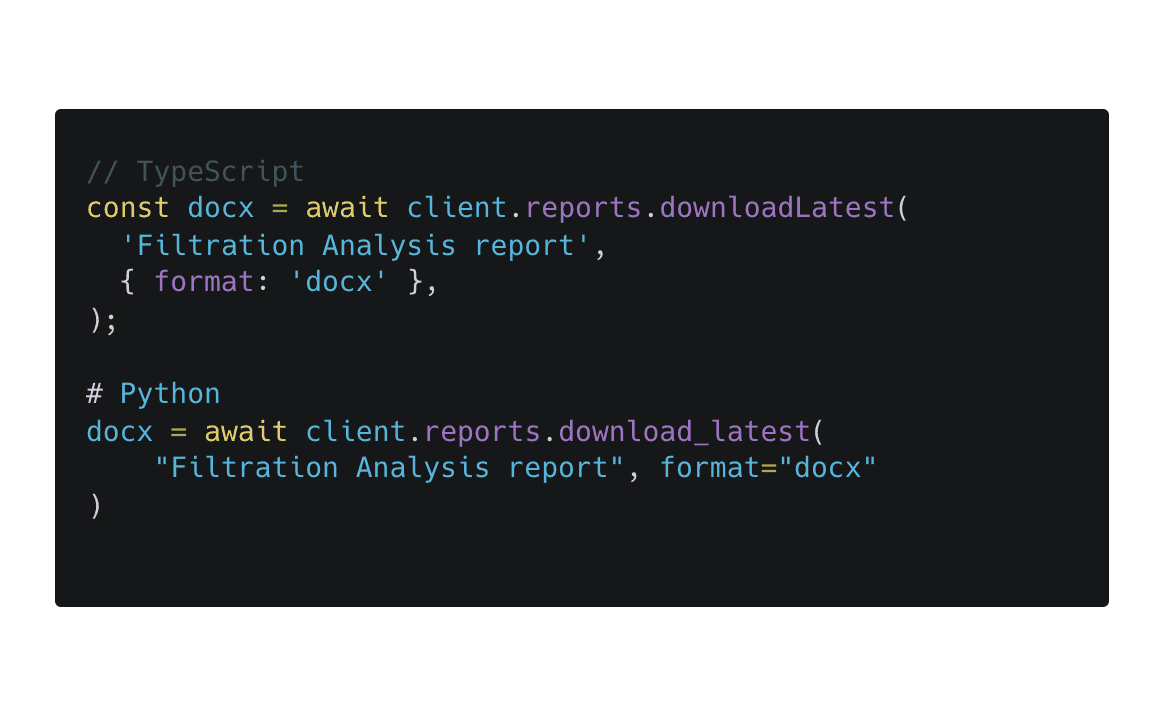
Both wrap the GraphQL endpoint, handle multipart file uploads, and poll asynchronous Docx renders for you — so common automations are a single call:
Managed with Service Accounts
API access is managed through service accounts, created in Workspace Settings → Service Accounts. Each account can hold one or more API keys, scoped to the workspace it belongs to. Keys are revocable, auditable, and never tied to a human user — so when a teammate leaves or a CI job is decommissioned, access is removed cleanly without touching anyone's personal login.
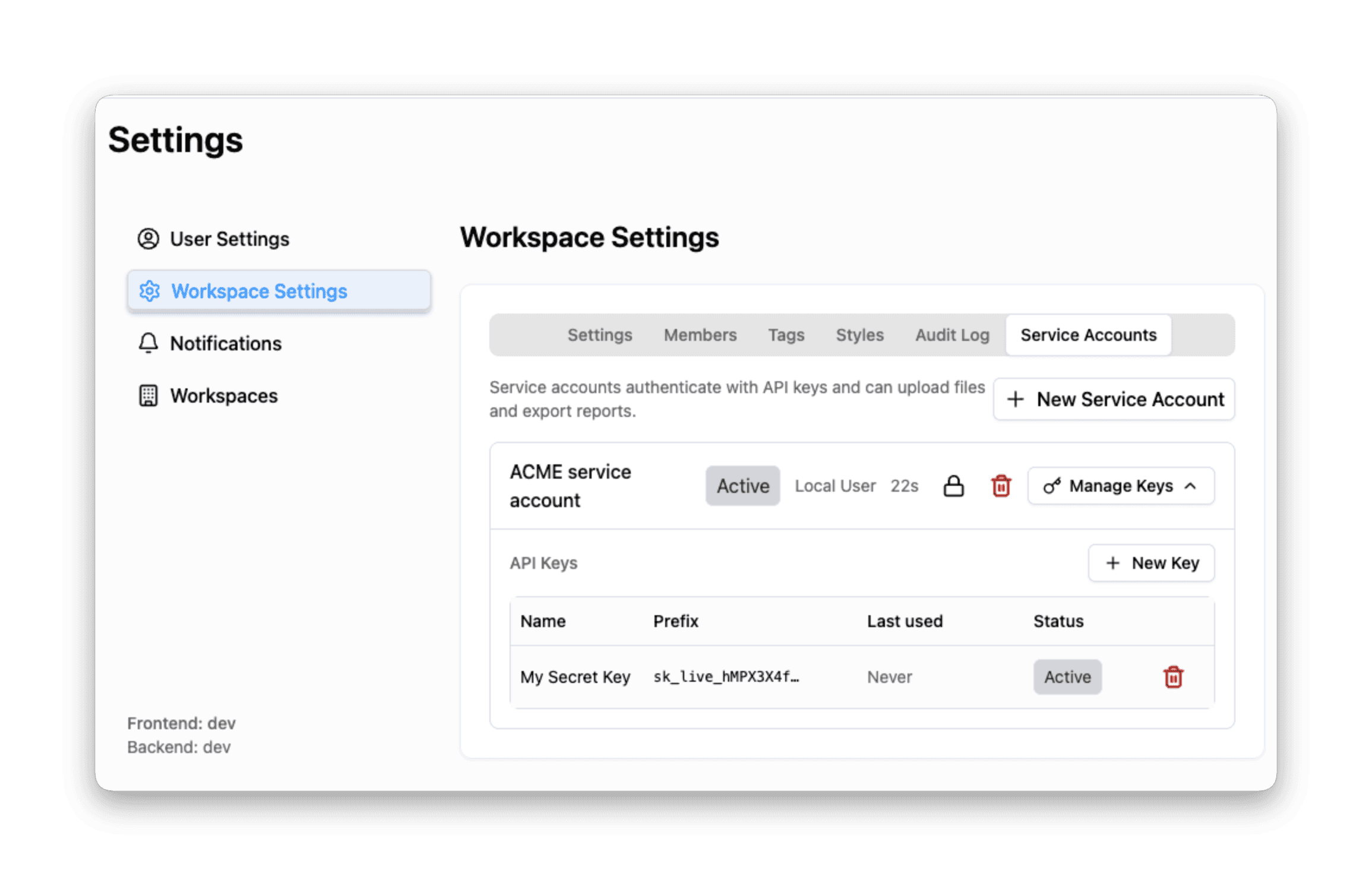
Service accounts let you issue, rotate, and revoke API keys without tying them to a human user.
This makes the API a natural fit for the kinds of workflows our customers actually want to automate: nightly imports from a regulated content store, hand-off into a downstream review system, or wiring report generation into an existing CI/CD pipeline.
API access is enabled per workspace — get in touch and we'll turn it on for your team.
Next in the Series
In the final article, we look at one of the fastest-moving challenges in AI: keeping pace with rapidly evolving models. In "Using the Latest AI Models," we explore how Everest helps teams stay current without constantly reworking their workflows.
