This series explores five common challenges teams face when operationalizing AI document workflows. We begin with the first: avoiding “garbage in, garbage out.”
AI can now generate first drafts of complex regulatory and clinical documents in seconds.
But generating text is only a small part of the problem.
For teams producing regulatory, clinical, and quality documentation, the real challenge is building workflows that reliably turn source materials into structured, submission-ready reports.
When organizations begin applying AI to these workflows, several common challenges quickly emerge.
In this series, we’ll explore how the latest Everest release helps teams address five of the most common challenges that arise when operationalizing AI document workflows.
The challenges include:
1. Avoiding “garbage in, garbage out”
Making sure the AI is reading your source documents correctly — so the resulting report is actually accurate.
2. Capturing — and automating — company expertise
Turning existing materials — SOPs, templates, reports, past submissions — into repeatable workflows.
3. Getting the math right
Making sure numbers in reports are calculated from source data, not invented by hallucinations.
4. Working with your data — seamlessly
Integrating AI workflows with the systems where your documents already live.
5. Keeping up with the latest AI models
Using the latest model capabilities — including Claude — without constantly reworking workflows.
In this article, we’ll start with the first challenge.
1. Avoiding “Garbage In, Garbage Out”
Working with customers across Pharma/BioTech, MedTech, and clinical trials, we've seen firsthand that source documents are rarely clean. Teams are dealing with scanned or low-quality PDFs, redacted sections for IP protection or privacy that break structure, and complex tables and figures that span pages or shift during extraction. What looks like a straightforward document often isn't.
The problem runs deeper than formatting. OCR models — used to extract content before any generation happens — each have their own strengths and failure modes. Depending on font, layout, or scan quality, they introduce subtle errors: extra characters, misplaced spaces, garbled compound names. Documents that have been re-scanned multiple times degrade further, becoming difficult to interpret even for a human reader.
The result is text that looks correct but isn't. When corrupted content flows into a generation pipeline, the AI has no way of knowing — it simply works with what it's given. This is the garbage in, garbage out problem, and for regulatory and clinical teams where accuracy isn't optional, the consequences are serious: errors propagate silently, surfacing as plausible-looking outputs that are factually wrong.
This is why, before any generation runs, teams need to confirm the system is actually reading their documents correctly. The Everest inspection view was built specifically for this.
Inspect Source Documents Before Generation
Instead of opening the original file outside the system to inspect it, authors can now see exactly how the document has been parsed directly inside Everest before running generation.
Clicking a file in the Files page opens a detailed inspection view showing exactly what the system extracted from the document.
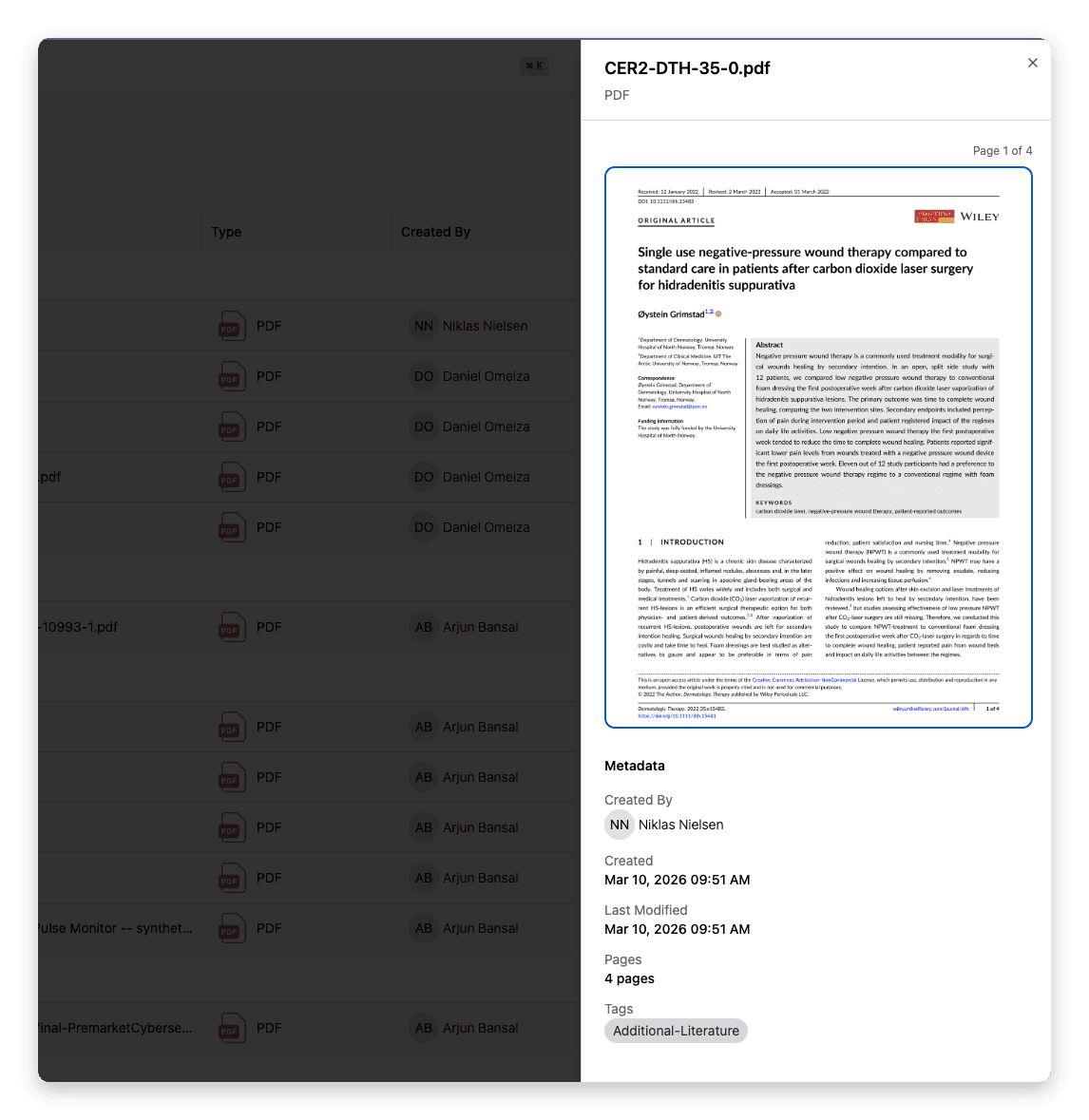
Inspect parsed source documents directly inside Everest before generation begins.
Authors can navigate the source document using paginated page images and a thumbnail sidebar, making it easy to confirm the overall layout and structure. On the right side of the view, three tabs allow authors to verify the extracted text, tables, and images.
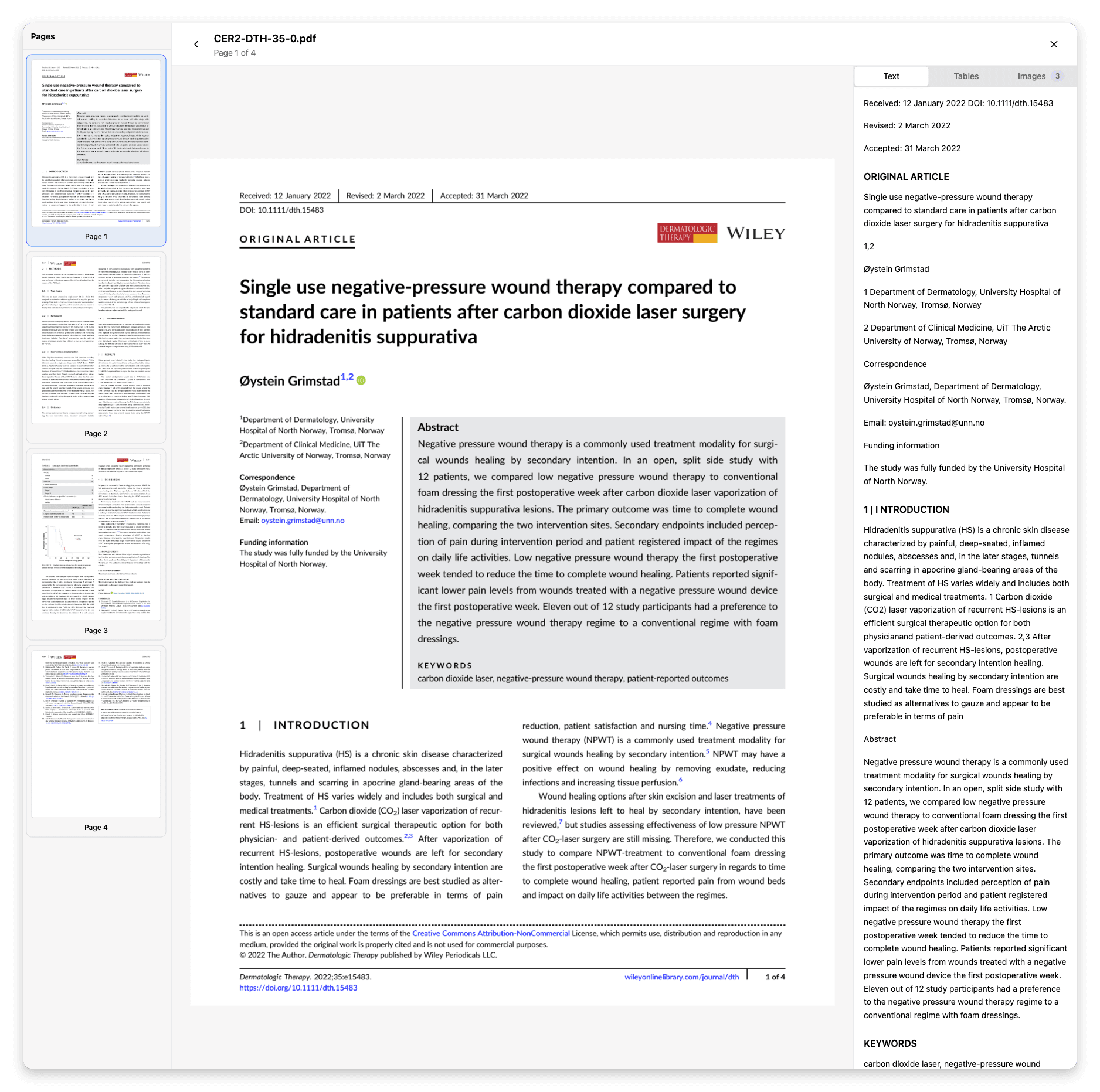
The example above shows the Text view, where authors can confirm that the document content has been captured correctly.
Tables
All extracted tables rendered inline, with expand/collapse and full-screen options so authors can verify that rows, columns, and headers were captured correctly.
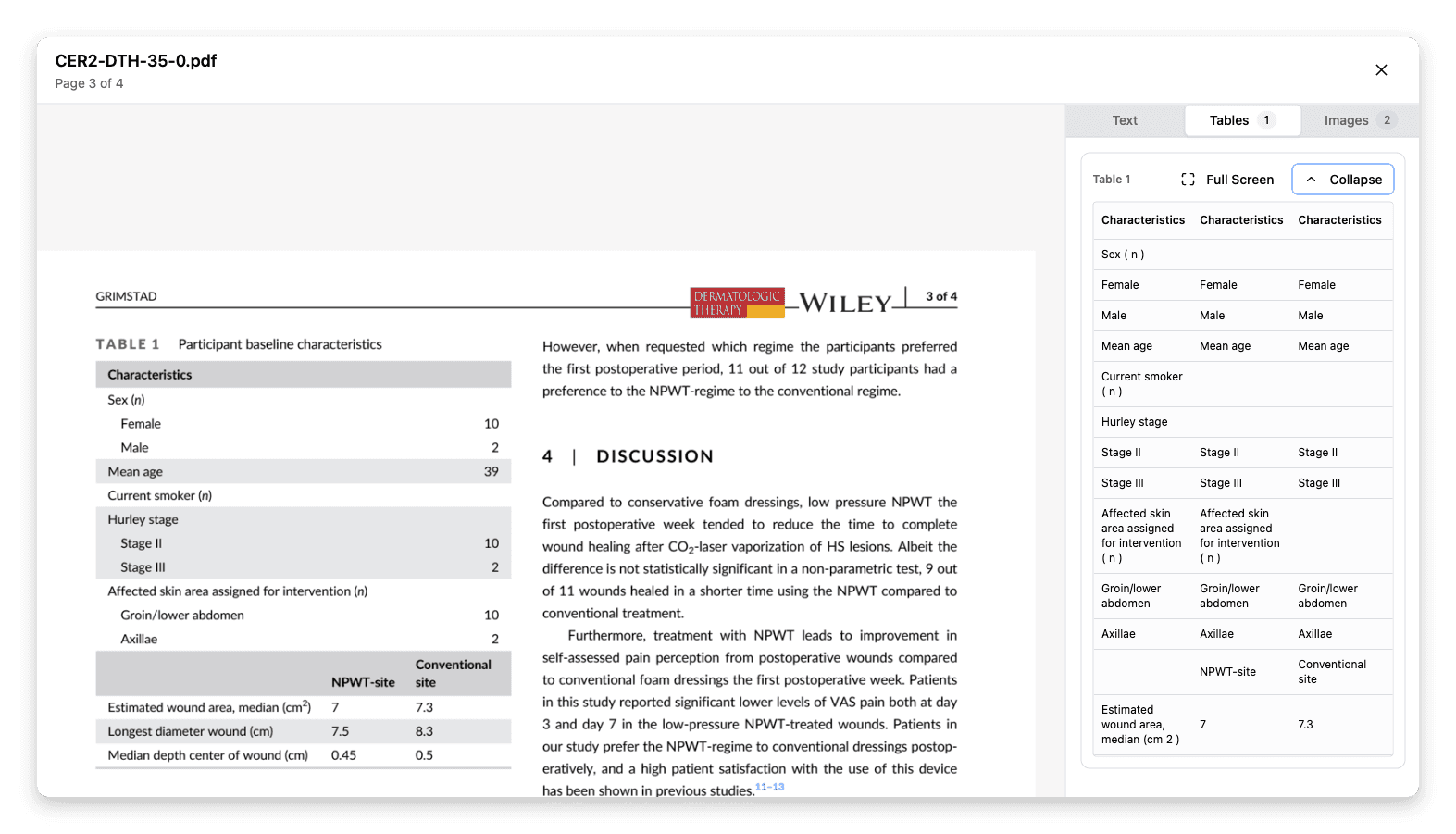
Review extracted tables inline to confirm that rows, columns, and headers were captured correctly.
Images
Extracted figures are displayed alongside their captions and annotations, making it easy to confirm that visual elements were interpreted correctly.
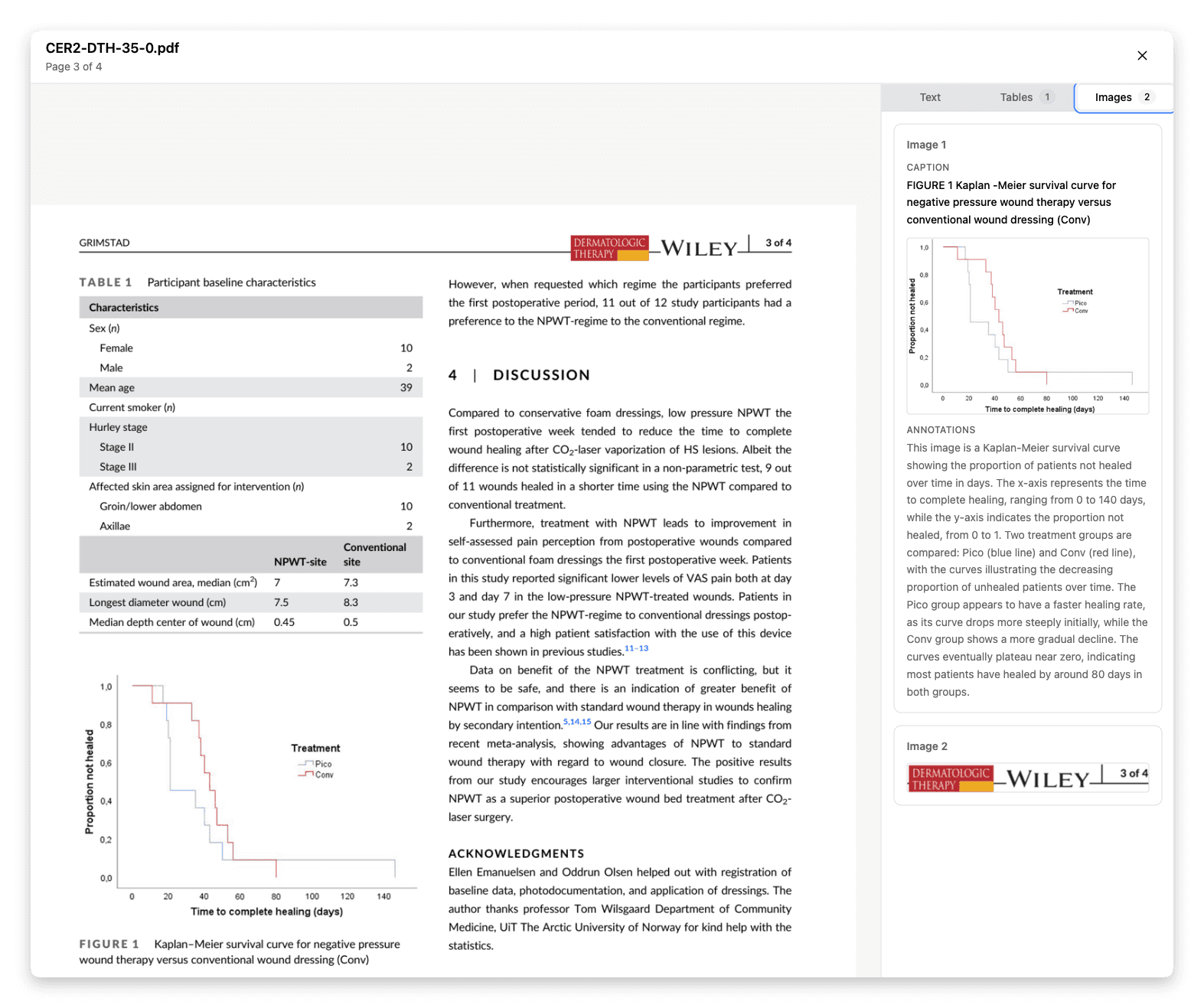
Review extracted figures alongside their captions and annotations to confirm they were captured correctly.
Together, these views make it easy to confirm that the document structure, tables, and figures were interpreted correctly before kicking off generation.
Instead of discovering issues after a report has been generated, teams can verify source material up front and ensure the AI is working from the right inputs.
AI shouldn’t be a black box — especially when the inputs matter.
Next in the Series
Every team has accumulated years of expertise in how their documents should be structured, what language regulators expect, and what's been approved before. Most of that knowledge lives in existing templates, past submissions, and the heads of senior staff — not in a format any AI can use. In the next article, we look at how to change that.
